Get This Free Cheat Sheet Guaranteed To Help Your Next Mix

Showing posts with label PreSonus Studio Live Mixer Handbook. Show all posts

Tuesday, October 28, 2014

3 Steps To A Quick Onstage Monitor Mix

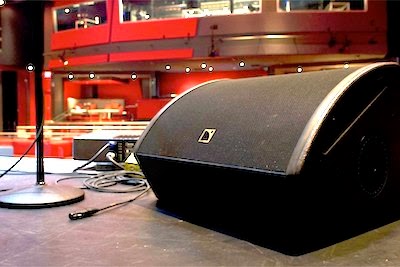
Stage Monitor image
It's time to mix a live show and you find you have the thankless job of mixing stage monitors from your front of house position. Don't pull your hair out. Use this quick method to get up and running while keeping the band happy in virtually no time at all.

This method assumes there's only one monitor mix instead of multiple mixes. Here's what to do:

1. Have everyone in the band raise their hand.

2. Tell them to lower their hand as soon they can hear themselves in the monitor.

3. Begin to increase the send of each instrument one by one. Continue to increase until the player lowers his hand. Proceed to the next instrument.

You might still have to tweak the mix a little afterwards, but you'll find that you'll have a workable monitor mix in just a couple of minutes.

You can find more tips like this, as well as a great overview on how to use the PreSonus StudioLive console, in my PreSonus StudioLive Handbook.

Read excerpts from this and my other books on the excerpts section of bobbyowsinski.com.
----------------------------------

Tuesday, August 19, 2014

3 Ways To Overcome Loud Stage Volume

loud music image
Anyone who's ever mixed a live show has been presented with the situation where the guitar or bass player is playing too loud for the room. Here's an excerpt from my PreSonus StudioLive Mixer Handbook that outlines 3 ways to help get that excessive stage volume under control, or at least mix around it so everything sounds balanced.

"Many guitar players can only get their sound when they crank their amp up to a level that might be too loud for the room and the mix. There are several ways around this:

1. Ask the player to angle his amp either towards the side of the stage, or even turn it around to face the rear of the stage. If the player is getting some of his guitar in the monitors or in-ears, this new placement might not be a problem as the sound of the instrument won’t change, only his stage volume. You might have to turn up the guitar in the monitors more than normal (or the guitar player might have to do it himself if he does his own mix like you’ve seen in the previous chapter), but it should solve the issue.

2. Kindly ask the player to turn down. Some players take such a request as a personal affront, so you have to make it clear that this isn’t an attack on the quality of his sound or his playing, you’re only trying to balance the mix better. If a player is afraid that his rig will no longer project to the back of the room, assure him that helping him sound great is what you’re there for, and you’ll make sure that everyone will hear him even better than before. Even with that tact, some players (especially those with a lot of pedals or modeling amps) will find it easier to comply if asked nicely, while others never will.

3. Mix Up To The Stage Volume. One way around a bass player, drummer or guitar player who’s stage volume is very loud is to mix up to that level on stage. That means that you’ll increase the level of everything in the mix until the loudest thing on stage seems in balance with the rest of the instruments. The problem is that the mix may now be too loud for the audience, who’ll probably ask you to turn it down, but at least it will be balanced at the higher volume level. This is usually less of a problem in a large venue."

----------------------------------

Tuesday, July 1, 2014

2 Tricks For Taming A Reflective Room

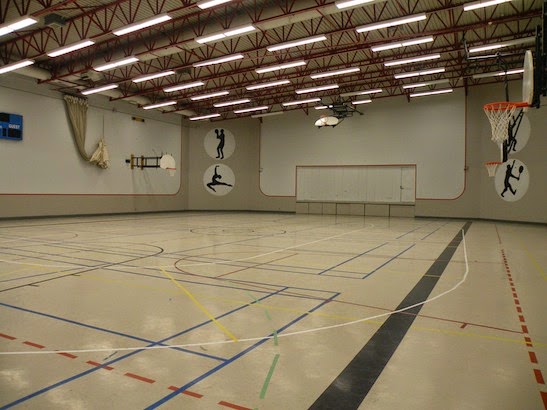
2 tricks for taming a reflective room like a gym
Live sound engineers all say that the venue they hate to work in the most is one with a lot of reflections. It's their worst nightmare, and you can hear both Dave Weckl engineer Dennis Moody and Blue Oyster Cult FOH man Steve La Cerra talk about it on my Inner Circle Podcast (Steve's coming up in a few weeks). It doesn't matter how big or small the venue is, if there's a lot of reflections, you going to have some problems.

Here are a couple of tricks from my PreSonus StudioLive Mixer Official Handbook that engineers have been using successfully to combat serious reflective problems and bring the vocals out from behind the natural room reverberation.

1. Increase 2.9k or 3.5kHz by a couple of dB on either the High-Mid or High frequency equalizer of the vocal channel. Generally speaking, raising 1kHz on a vocal gives it more energy in any mix, but in a live situation in a reverberant environment, moving the frequency up can help it cut through the mud. You could even try this on the FOH EQ to see if it helps the entire mix.

2. Cut some of the low frequencies of the kick, bass and floor tom by a couple of dB at anywhere from 60Hz to around 130Hz, depending upon the venue. Cutting lower than that will make it seem like all of the low end has disappeared. In most reflective venues, the majority of the problem lies in too much low end bouncing around the room. Lowering the level of the subs, or lowering these frequencies on the FOH EQ can also make a difference, but you want to be careful that the power doesn't leave the mix, so be judicious.

Remember that a little EQ can sometimes go a long way, so boost or cut in small increments.

To read excerpts from the PreSonus StudioLive Mixer Official Handbook and my other books, go to the excerpts page of bobbyowsinski.com.
----------------------------------

LinkWithin

Related Posts Plugin for WordPress, Blogger...